The Kontora app: scan your cards, get alerts
Kontora works as an app on your phone. Scan a card with the camera to sell it or add it to a list, and get an alert the moment you make a sale or receive an offer. It is free and installs from the website in a few seconds.
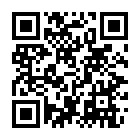
On a computer? Point your phone’s camera at this code to open Kontora on your phone.
Scan a card to sell it
On the Sell page, tap Scan a card and hold the card flat in the frame. Kontora compares the photo with every card picture in the catalogue and offers the closest matches, best first. Pick yours and its sell sheet opens with your scan as the first photo: choose the condition and the price, and it is listed. Several cards? Scan them back to back and list them together.
- Every card game on Kontora: Pokémon, Magic: The Gathering, One Piece, Disney Lorcana, Yu-Gi-Oh!, Riftbound and Dragon Ball, over 200,000 cards.
- It tells reprints apart by their picture, like Base Set and Base Set 2 Charizard. Check the set and the finish before you list.
- Sealed product and lots: search by name, no scan needed.
Scan a stack into a list
On Buy from a list and Import a collection, each scan adds a line. Scan a stack of cards, then let Kontora find the cheapest cart with shipping included, or bring them all in as listings at once.
Alerts on your phone
Signed in, turn on notifications at the bottom of any page. You then get a short alert for each sale, offer, message, question and payout, a reminder when an order is due to ship, and news on the cards you watch.
Install it
- iPhone and iPad: open kontoramarket.com in Safari, tap Share (a square with an arrow), then Add to Home Screen, then Add.
- Android: open kontoramarket.com in Chrome, tap the menu (three dots), then Install app or Add to home screen.
- Computer: Chrome and Edge show an install icon in the address bar. The scanner needs a phone camera, though.
Questions
Is the Kontora app free?
Yes. The app costs nothing. Buying and selling have the same fees as on the website.
Is it in the App Store or Google Play?
Not yet. It installs straight from the website, so there is nothing to download from a store, and you always have the latest version.
Does the scanner work on a computer?
The scanner needs a phone or tablet camera: a webcam cannot focus on a card. On a computer, search by name and number, or scan the code on this page to continue on your phone.
Does it recognize French and Japanese cards?
It matches the card’s picture. When the same picture exists in several languages, the English printing comes first and the others right after, so check the language before you list.